AI-generated beach photography can turn a simple portrait idea into a visually creative scene. With the right image prompt, you can create golden-hour beach portraits, dramatic water-splash effects, cinematic lighting, and unusual compositions that look like professional photoshoots. Two creative styles worth exploring are sunset beach portraits with artistic water effects and multiple-person perspective compositions. The first combines a large portrait, a water-shaped silhouette, and a smaller full-body scene. The second creates a visual sequence in which several versions of the same person appear at different sizes along the beach. In this guide, you’ll learn how these effects work, where to place your AI image prompts, how to customize them for your own photographs, and how to fix common problems such as inconsistent faces, unnatural water, and incorrect body proportions.
1. AI Sunset Beach Portrait Prompt
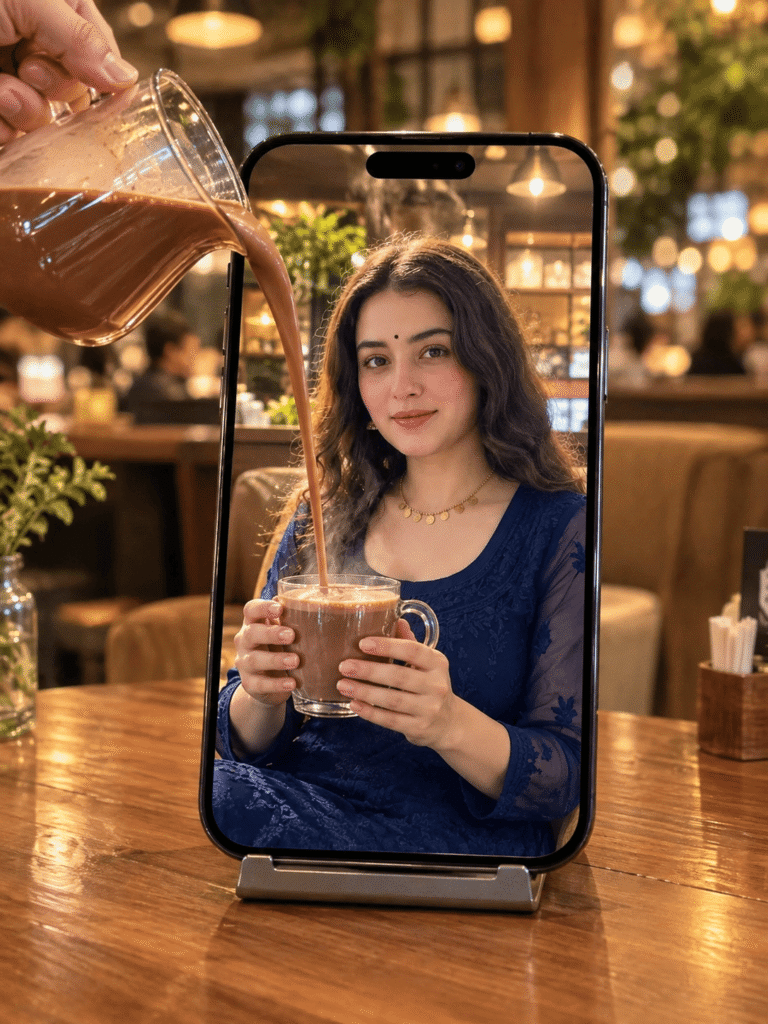
The sunset portrait style combines warm golden-hour lighting with a creative, layered composition. It can include a large close-up portrait on one side, a second profile formed from splashing water, and a smaller full-body subject walking along the shoreline. The contrast between the detailed face, transparent water, and glowing sunset gives the image a cinematic appearance. This style works particularly well for creative portraits, social media posts, photography concepts, and personalized AI artwork.
What Makes This Beach Portrait Style Special?
Several visual elements help create this composition:
- Golden-hour lighting: Warm sunlight adds orange and golden tones to the sky, skin, and water.
- Layered portrait composition: A large face and a smaller full-body figure appear together in one image.
- Water-splash silhouette: Water droplets and flowing waves create an artistic outline around a secondary face.
- Natural beach background: Waves, wet sand, and the setting sun provide depth.
- Realistic clothing and skin: Natural fabric texture, facial details, and believable lighting make the result more photographic.
The key is to describe how these elements relate to one another, rather than simply asking an AI tool to generate a beautiful beach photo.
How to Customize the Sunset Beach Prompt
You can adapt this composition to different people, outfits, and moods without changing the overall visual concept.
| Customization | What to specify |
| Subject | Your chosen person or reference photograph |
| Outfit | A white shirt, flowing dress, casual beachwear, or another suitable outfit |
| Lighting | Warm sunset, soft golden light, or a pastel evening sky |
| Composition | Large portrait, water silhouette, and smaller full-body figure |
| Background | Ocean waves, reflective wet sand, and a visible horizon |
| Image style | Photorealistic, cinematic, editorial, or artistic |
| Output format | Portrait orientation for social media, where supported |
For example, a white outfit may complement warm sunset tones, while darker clothing can create a stronger contrast against the bright sky. The best choice depends on the visual mood you want. If you are using a reference image, specify whether the person’s facial identity, hairstyle, and general appearance should remain consistent. Results can still vary between AI tools.
2. AI Multiple-Person Beach Photo Prompt
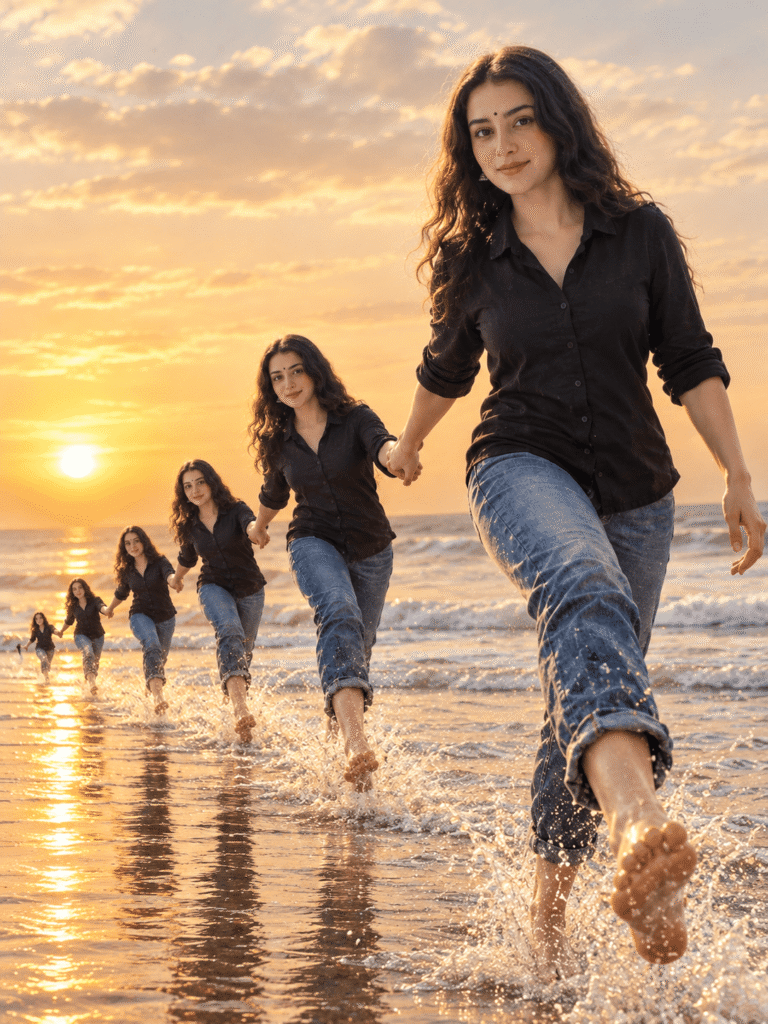
The second style creates an unusual perspective by showing several versions of the same person at different apparent sizes. The largest figure appears in the foreground, while progressively smaller versions extend into the distance along the shoreline. This composition creates a visual echo effect. It can make a simple beach portrait look more dynamic without relying on a complicated background. The effect depends on perspective, spacing, and consistency. If the figures are arranged carefully, the viewer can follow the sequence from the foreground to the horizon.
How Does the Multiple-Person Effect Work?
A convincing result needs more than several copies of a person. The composition should guide the viewer’s eye naturally through the image.
1. Foreground subject
The largest figure establishes the main focus. Clothing details, facial features, body proportions, and the pose should be clearly defined.
2. Repeated figures
Smaller versions of the same subject appear farther away. Their size should decrease progressively as they move toward the background.
3. Consistent appearance
The hairstyle, outfit, and overall identity should remain similar across the repeated figures. Some image generators may introduce unwanted differences, so the result should be checked carefully.
4. Beach perspective
The shoreline, waves, and horizon help establish distance. Reflections and splashing water can connect the figures to the environment.
5. Natural lighting
A consistent sunset direction helps the repeated figures appear as part of the same scene instead of looking like unrelated cutouts..
How to Improve the Repeated-Figure Composition
When customizing this prompt, focus on the arrangement of the figures and the camera perspective.
- Describe the largest subject as the main foreground focus.
- Specify that progressively smaller versions extend into the distance.
- Keep the outfit and hairstyle consistent across the sequence.
- Describe a natural walking pose or another clear action.
- Include a visible horizon and a believable shoreline.
- Avoid requesting so many repeated figures that the composition becomes crowded.
If the AI tool generates inconsistent faces or extra limbs, try simplifying the pose and reducing the number of repeated figures. You can also generate a few variations and select the most coherent result.
3. Which AI Tools Can Create These Beach Portraits?
Several image-generation tools can produce creative beach portraits, but their results depend on the model, available features, reference-image support, and prompt interpretation.
Before choosing a tool, consider the following capabilities.
| Feature | Why it matters |
| Text-to-image generation | Creates a scene from a written description |
| Reference-image support | Helps guide appearance, clothing, or composition |
| Image editing | Allows you to correct selected areas without regenerating everything |
| Aspect-ratio controls | Helps create portrait-oriented social media images |
| High-resolution output | Provides more detail for suitable uses |
| Consistent subject generation | Helps maintain a similar appearance across repeated figures |
Not every tool supports all these features, and availability may depend on your account or subscription. If your chosen tool struggles with a complex water silhouette or repeated figures, try generating the main portrait first and then refining the composition with an image-editing feature.
4. How to Get Better Results from AI Beach Photo Prompts
A detailed prompt can help, but adding more words does not automatically improve the image. The most useful descriptions clearly explain the subject, composition, lighting, background, and desired visual style.
Keep the Composition Specific
Instead of describing only a beautiful beach scene, explain where the main subject should appear and how the other visual elements should be arranged. For the sunset portrait, describe the relationship between the large portrait, water-shaped profile, and full-body figure. For the repeated-person composition, explain the progression from the foreground to the distant shoreline. Clear spatial instructions can help reduce confusing layouts.
Use Reference Images Carefully
If the AI tool supports image references, choose a photograph with a clear face and sufficient lighting. A reference image can guide the generated result, but it does not guarantee exact identity preservation. Only upload photographs you have permission to use. If you are creating content featuring another person, respect their privacy and any applicable consent requirements.
Choose the Right Aspect Ratio
A vertical composition is often suitable for Instagram Reels covers, Pinterest pins, and portrait-oriented social posts. A square composition may work better for profile grids or other layouts. Select the aspect ratio before generating the image when the tool provides that option. Otherwise, important elements may be cropped during resizing.
Generate Variations Before Editing
Complex scenes can be difficult for image generators to reproduce perfectly on the first attempt. Create a few variations and compare the placement of the face, repeated figures, water details, and lighting. Choose the most coherent result rather than the one with the strongest effects alone.
5. Common AI Image Problems and How to Fix Them
AI-generated photography can look impressive while still containing visual inconsistencies. Reviewing the image before publishing it is an important part of the creative process.
| Common problem | Possible improvement |
| Different faces across repeated figures | Simplify the composition and strengthen appearance-consistency instructions |
| Unnatural water or floating droplets | Use a simpler water shape and clearer lighting direction |
| Extra fingers or distorted limbs | Choose a cleaner pose and use available image-editing tools |
| Oversized or misplaced background figures | Describe the foreground-to-background size progression more clearly |
| Artificial skin texture | Request natural skin detail and avoid excessive smoothing |
| Confusing overlapping portraits | Specify which subject is in the foreground and which appears in the background |
| Poorly cropped composition | Select the correct aspect ratio before generating |
| Inconsistent shadows | Describe one consistent light source, such as the setting sun |
These adjustments can improve the result, but no prompt guarantees a flawless image. Inspect important details before using the image in a portfolio, website, or social media post.
6. Where Can You Use AI Beach Portrait Images?
Once you have reviewed and refined your generated image, you can consider several creative uses.
- Social media posts: Publish a distinctive beach portrait or creative photography concept.
- Pinterest graphics: Use portrait-oriented artwork for visual inspiration boards.
- Photography concepts: Explore unusual compositions before planning a real photoshoot.
- Personal artwork: Create stylized portraits for personal projects.
- Design experiments: Test how lighting, colors, and perspective affect a visual concept.
Before using generated images commercially, check the terms of your chosen AI tool. Also make sure that any reference photographs, logos, or other included assets are authorized for your intended use.
Frequently Asked Questions
What is an AI beach photo prompt?
An AI beach photo prompt is a written description that guides an image-generation tool in creating a beach scene. It can specify the subject, clothing, lighting, camera perspective, background, composition, and visual style.
Can I create a sunset portrait with a water-splash silhouette?
You can attempt this effect by describing a large portrait, a secondary profile formed from flowing water, and a beach scene illuminated by sunset. Results depend on the image model and how well it interprets the composition.
How can I generate multiple versions of the same person in one image?
Describe a large foreground figure followed by progressively smaller versions of the same subject extending into the distance. Consistent clothing, hairstyle, pose, and lighting can help the scene look more unified.
Can I use my own photo with these prompts?
Yes, if your selected tool supports reference-image uploads. Use a clear photograph and follow the tool’s instructions. The generated image may differ from the original, even when you request a similar appearance.
Why does AI sometimes change the face or outfit?
Image-generation models may interpret different parts of a prompt inconsistently, especially when the image contains several versions of the same person. Simplifying the composition, using a supported reference image, and refining the result may help.
Are AI-generated beach photos suitable for Instagram?
They can be suitable for creative social media posts, provided the image meets the platform’s rules and you have the necessary rights to the included material. Check the final crop and resolution before uploading.
Are these AI image prompts free to use?
The prompt text itself may be usable without a separate purchase, but generating images can require a free account, credits, a subscription, or another form of access depending on the tool. Check the relevant service’s current terms.
Can AI-generated images be used commercially?
Commercial use depends on the AI tool’s terms, the rights associated with any uploaded reference images, and applicable laws. Review those conditions before using an image in advertising, products, or paid client work.
Final Thoughts
Sunset beach portraits and multiple-person perspective compositions offer two different ways to explore creative AI photography. One emphasizes dramatic lighting and layered water effects, while the other uses scale and perspective to create a repeated-figure sequence. For the best results, start with a clear composition, customize the prompt to suit your subject, and review the generated image for inconsistencies. Small refinements to lighting, framing, and figure placement can make a meaningful difference. Explore more AI image prompts and creative photography ideas on our website to discover new ways to experiment with visual storytelling.