Baby Krishna AI Photo has become a popular way for parents and devotees to turn ordinary baby pictures into beautiful Krishna-themed portraits. A simple photo can be transformed into a devotional scene featuring traditional Krishna clothing, a peacock feather crown, a flute, butter pot, Vrindavan-inspired surroundings and soft festive lighting. The appeal of these images is not only about artificial intelligence. People connect with the emotion behind the pictures. A baby dressed as Krishna can instantly bring back memories of Janmashtami celebrations, childhood photographs and the playful stories associated with Lord Krishna. The good thing is that you do not need a professional camera or an expensive photo studio for this type of creative edit. With a clear photograph and a well-written prompt, an AI image tool can create or edit a Krishna-inspired portrait in a short time. In this guide, you will learn what a Baby Krishna AI Photo is, which elements make the images look convincing, how to prepare a child’s photo before editing, where to use your own prompts, and how to create different Krishna-themed variations without making the result look artificial.
What Is a Baby Krishna AI Photo?
A Baby Krishna AI Photo is an AI-generated or AI-edited image in which a baby is presented in a Krishna-inspired traditional setting. Depending on the prompt and the image-editing tool, the final picture can include elements such as traditional yellow clothing, a small peacock feather crown, a flute, butter pot, temple surroundings, flowers, soft natural lighting or a Vrindavan-style background. The important part is that the prompt should describe the complete visual scene rather than simply saying “make this baby Krishna.” For example, a useful prompt can specify the clothing, pose, facial expression, background, lighting, camera style and overall mood. This gives the image generator more information to work with and can produce a more consistent result.
Why Are Baby Krishna AI Photos So Popular?
There is a simple reason these pictures connect with people so quickly: they combine devotion with the innocence of childhood. Lord Krishna’s childhood stories are filled with playful moments. Stories of Makhan Chor, his bond with Mother Yashoda and his mischievous nature are familiar to millions of Indian families. When a baby is visually presented in a Krishna-inspired setting, those familiar emotions become part of the photograph. Here are some reasons behind the popularity of this style.
1. Childhood Innocence
Babies naturally bring a sense of innocence to photographs. Adding traditional Krishna elements can make the picture feel even more charming.
2. Connection With Janmashtami
Parents often look for creative ways to photograph their children during Janmashtami. A Krishna-themed AI portrait offers another way to create a memorable festive picture.
3. Traditional Clothing Looks Beautiful
Yellow dhoti-style clothing, jewellery, flowers and a peacock feather can create a strong traditional appearance when they are blended naturally.
4. The Yashoda-Krishna Theme Adds Emotion
A picture showing a mother with her child can feel more personal than a simple solo portrait. A Yashoda-inspired setting can therefore add warmth to the image.
5. Easy Social Media Sharing
Once the image is ready, users can use it as a WhatsApp status, Instagram post, Facebook post, Janmashtami greeting or family memory.
What Makes a Krishna-Themed AI Photo Look Realistic?
Simply adding Krishna accessories to a baby photo does not always produce a convincing result. Sometimes AI-generated images can have unrealistic hands, strange jewellery, distorted facial features, unnatural clothing folds or backgrounds that look obviously artificial. A better result usually comes from describing the important visual details clearly. Pay attention to these elements:
| Element | What to Describe |
| Baby | Age appearance, expression and natural pose |
| Clothing | Traditional Krishna-inspired outfit and fabric |
| Headpiece | Peacock feather and traditional accessories |
| Props | Flute, butter pot or flowers |
| Background | Vrindavan, temple, garden or festive setting |
| Lighting | Soft daylight, warm studio light or cinematic light |
| Composition | Close-up, portrait, full-body or mother-child frame |
| Mood | Innocent, joyful, peaceful or devotional |
| Image quality | Realistic photography, natural skin texture and detailed fabric |
The more important details you provide, the easier it becomes for the image tool to understand the scene you want. However, adding too many unnecessary instructions can also make the result inconsistent. A good prompt should be detailed but focused.
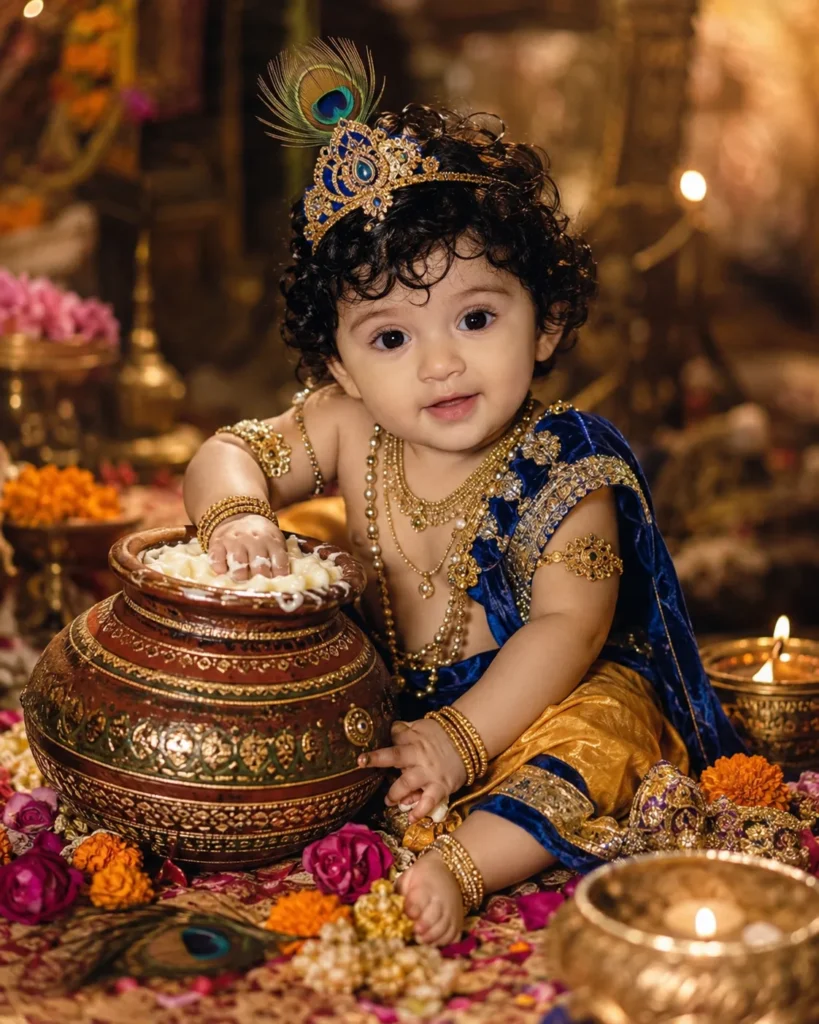
Baby Krishna With Matki and Butter
One of the most recognizable Krishna childhood themes is the butter pot. In this concept, the baby can be shown sitting near a traditional matki while holding or reaching toward butter. The setting can include flowers, a simple village-style interior, wooden textures and warm natural lighting. The important thing is to keep the scene believable. If the baby is very young, an extremely complicated pose may produce unnatural hands or body proportions. A simple seated pose often works better for realistic editing.
Baby Krishna With Mother Yashoda
The relationship between Krishna and Mother Yashoda is another strong concept for devotional portraits. For an AI photo, the scene can be designed around a mother lovingly holding a child dressed in Krishna-inspired clothing. A traditional Indian home, courtyard or soft temple-inspired background can be used depending on the look you want. This type of image works especially well when the expressions remain natural. Instead of making both subjects pose dramatically, a simple moment such as the mother looking at the child can create a more believable photograph.
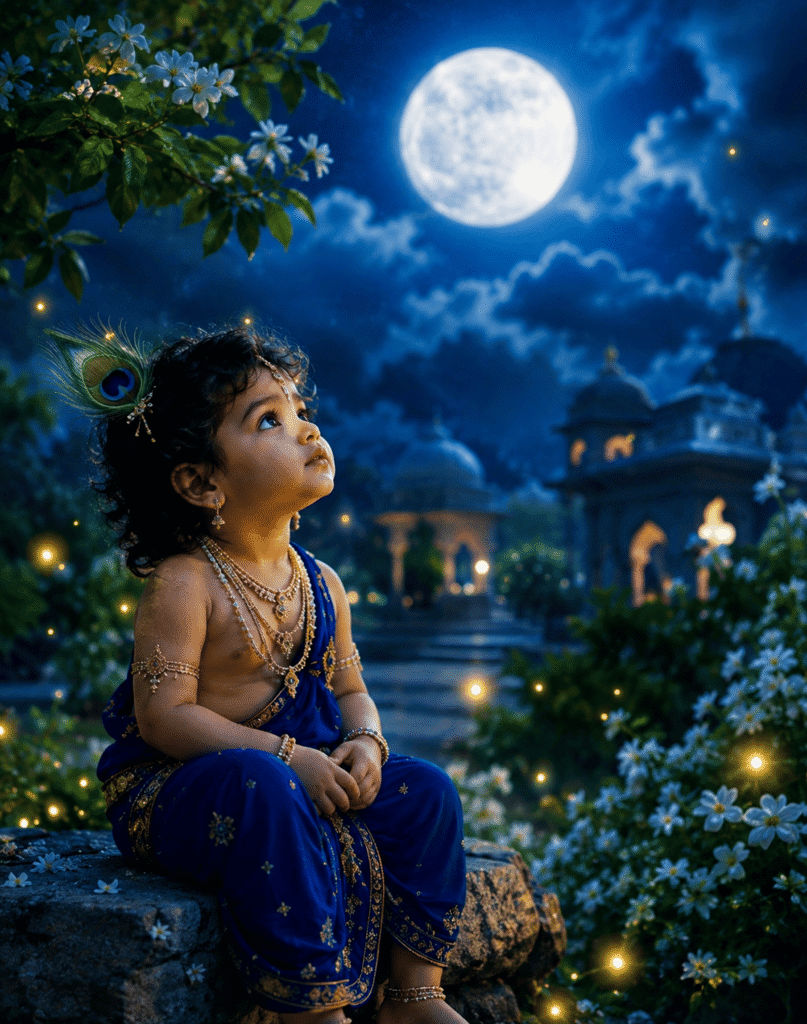
Cute Baby Krishna Portrait
If you want a simpler image, a close-up portrait can work better than a complicated scene. A close portrait allows the AI tool to focus more attention on the baby’s face, clothing and accessories. You can experiment with a soft background, natural window lighting, traditional jewellery and a small peacock feather. This style is also useful when the original baby photograph has a clear face and good lighting.
How to Choose the Right Baby Photo Before Editing
The quality of the original photograph can make a noticeable difference. You do not necessarily need a professional camera photo, but the child’s face should be reasonably clear.
Before uploading a picture, look for these things:
- The face should be visible clearly.
- Avoid extremely dark photographs.
- Avoid heavily blurred pictures.
- Choose an image where the child is not covered by another object.
- A simple background can make editing easier.
- Use a high-resolution photograph whenever possible.
- Avoid photographs with strong filters already applied.
A clear source image gives the editing tool a better reference for the child’s facial appearance.
How to Create a Baby Krishna AI Photo in ChatGPT
ChatGPT can create new images and can also edit an existing image uploaded by the user. OpenAI’s current help documentation says users can upload an existing image and describe the changes they want, including specific areas that need editing. That makes it useful for people who want to turn an existing family photograph into a Krishna-inspired creative portrait.
Follow these steps:
Step 1: Select a Clear Photograph
Choose a clear picture of the baby from your phone or computer. Try to use a photo where the face is visible and the lighting is reasonably good.
Step 2: Open ChatGPT
Open ChatGPT and start a new conversation. Use the image upload option to attach the photograph you want to edit.
Step 3: Add Your Own Prompt
Paste your selected Baby Krishna prompt along with the uploaded image. The prompt should clearly explain what you want changed and what should remain natural.
Step 4: Check the Generated Result
Look carefully at the face, hands, clothing, jewellery and background. Do not immediately accept the first result if something looks unnatural.
Step 5: Request Specific Changes
If the clothing looks wrong, ask for the clothing to be corrected. If the background is too artificial, ask for a more natural environment. If the face does not resemble the original child enough, ask the tool to preserve the child’s facial appearance more closely. Small, specific changes are often easier to communicate than rewriting the entire request every time.
How to Make the Result Look More Natural
There is a common mistake people make with AI photo editing: adding too many effects. A realistic devotional portrait does not need glowing particles, excessive jewellery, dramatic backgrounds and dozens of decorative objects at the same time. A cleaner image can actually look more professional. Try to maintain a balance between traditional elements and realistic photography. For example, the clothing can be traditional while the lighting remains similar to a normal portrait photograph. The background can suggest Vrindavan without making every part of the image overly decorative. Natural skin texture is also important. If the baby’s skin looks plastic or overly smooth, the final image may immediately look AI-generated.
Baby Krishna AI Photo Ideas You Can Try
Once you understand the basic editing process, you can create several different themes using your own prompts.
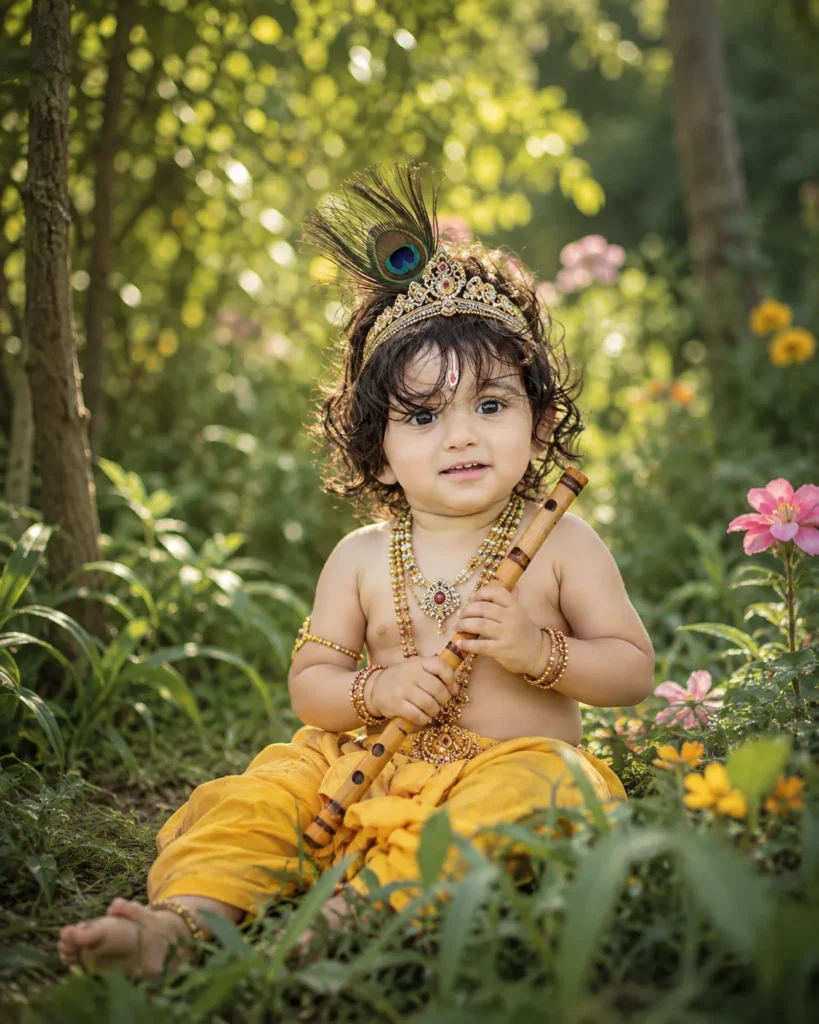
Krishna Playing the Flute
A peaceful portrait showing the baby holding a small flute can create a simple devotional look.
Krishna With a Butter Pot
This is ideal for a playful childhood theme inspired by the famous Makhan Chor stories.
Krishna in a Vrindavan Garden
A natural garden with flowers, trees and soft sunlight can create a beautiful outdoor portrait.
Krishna With Mother Yashoda
This works well for family-oriented photographs and Janmashtami posts.
Krishna in a Traditional Temple Setting
A temple-inspired background can give the portrait a more devotional appearance.
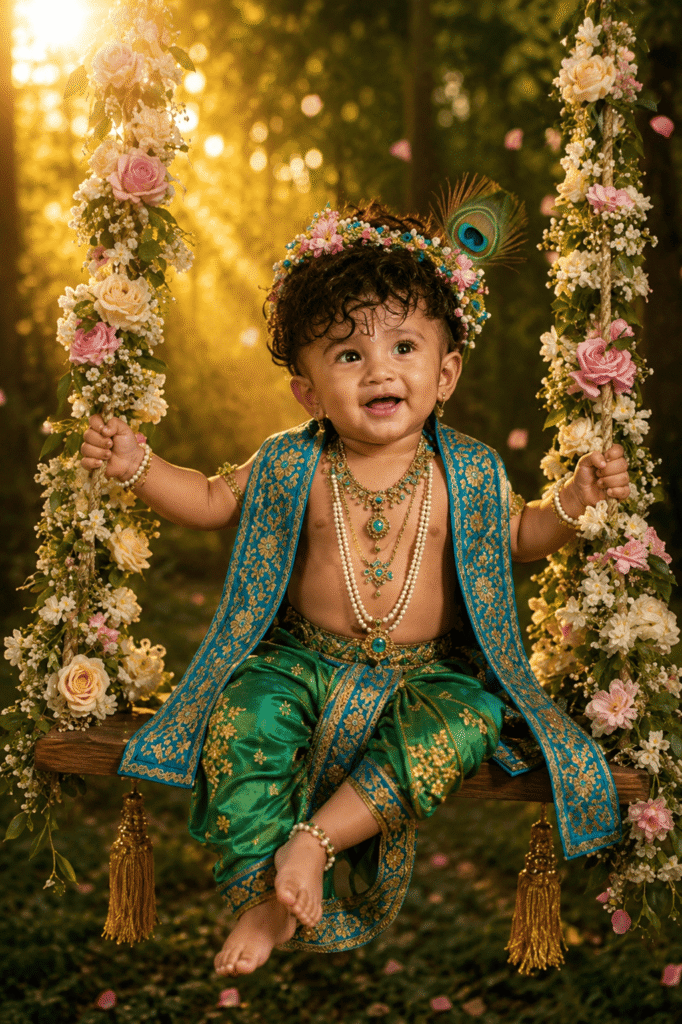
Krishna-Themed Festive Portrait
You can add flowers, diyas and subtle festive decoration for a Janmashtami-themed image.
Can You Use a Normal Baby Photo for This?
Yes. You can start with a normal photograph and ask an image-editing tool to change the clothing, background and other visual elements. However, the final result depends on the quality of the source photograph and the instructions given to the AI tool. It is also worth remembering that an AI edit may change details of the original photograph. Therefore, if preserving the child’s exact facial appearance is important, check the result carefully before sharing it publicly.
Is It Safe to Upload a Child’s Photo to an AI Tool?
This is an important point that is often ignored in AI photo tutorials. Before uploading a child’s photograph to any online AI service, parents or guardians should understand the service’s privacy and data-handling terms. Avoid uploading photographs containing unnecessary personal information, school details, addresses, phone numbers, identity documents or other sensitive information. If the image is intended for public posting, also think about whether you are comfortable sharing the child’s face publicly. Creating a beautiful picture is fun, but protecting a child’s privacy should come first.
What If the AI Changes the Baby’s Face?
This can happen during image editing. AI image tools may sometimes modify facial details, expressions, hands or clothing even when the user wants to preserve the original photograph. If that happens, do not keep adding random instructions. Instead, clearly explain which part should remain unchanged and which part should be edited. For example, you can ask the tool to preserve the child’s facial appearance while changing only the outfit and background. The result may still vary because AI image editing is not perfectly deterministic.
How to Create Different Versions From One Photograph
You do not have to create a completely new image every time. Start with the same original photograph and experiment with different concepts.
For example:
| Version | Theme |
| 1 | Baby Krishna with a flute |
| 2 | Krishna with a matki |
| 3 | Krishna with Mother Yashoda |
| 4 | Krishna in Vrindavan |
| 5 | Krishna in a temple setting |
| 6 | Janmashtami celebration |
| 7 | Traditional studio portrait |
This approach gives you multiple creative options without needing a new photo session.
Where Can You Use a Baby Krishna AI Photo?
These images can be useful for personal and social purposes, including:
- Janmashtami greeting posts
- WhatsApp status
- Instagram posts
- Facebook posts
- Family photo albums
- Digital greeting cards
- Festival profile pictures
- Personal wallpapers
- Birthday or family memory posts
If you publish the image on a public website, avoid presenting an AI-created scene as a real photograph of an actual event.
Frequently Asked Questions
What is a Baby Krishna AI Photo?
It is an AI-generated or AI-edited portrait in which a baby is presented with Krishna-inspired clothing, accessories, backgrounds or devotional themes.
Can I use my baby’s existing photo?
Yes. An existing clear photograph can be uploaded to an image-editing tool that supports image editing. The tool can then be instructed to change selected visual elements.
Do I need a professional camera?
No. A clear smartphone photograph can be enough for many creative edits. However, better lighting and image quality can make the editing process easier.
Can I create a Mother Yashoda and Baby Krishna image?
Yes. You can create a mother-and-child devotional composition using your own prompt. Make sure the prompt clearly describes the relationship, pose, clothing and background.
Why does my AI image sometimes look fake?
Unnatural hands, excessive skin smoothing, distorted jewellery, unrealistic lighting and overly complicated backgrounds can make an image look artificial. Simplifying the scene and refining individual elements can help.
Can I change the Krishna outfit after generating the image?
Yes. If your image tool supports editing, you can request changes to clothing, background, accessories and other visual elements. ChatGPT Images currently supports editing existing images as well as creating new ones.
Can I use the image commercially?
That depends on the AI service’s current terms, the source photograph, and any other elements used in the final image. Check the relevant service terms before using an image for commercial purposes.
Final Take
Baby Krishna AI Photo editing is a simple way to create a devotional and memorable portrait from an ordinary family photograph. The most important part is not adding as many effects as possible. A clear source photo, a focused prompt and a natural-looking composition usually produce a better result. You can experiment with different Krishna-inspired themes such as a butter pot, flute, Vrindavan setting, traditional clothing or a Mother Yashoda scene. If the first result does not look right, refine one element at a time instead of completely changing the idea. This gives you more control over the final picture. And if you are creating these images with a child’s photograph, remember that privacy matters just as much as the final look.